

Experiments
An experiment (called “Benchmark” in the CLI) is a batch of test cases evaluated together. Experiments can have multiple runs with different agent or model configurations, enabling side-by-side comparison of agent performance.
What is an experiment
Section titled “What is an experiment”An experiment groups related test cases and tracks multiple evaluation runs. Each run captures:
- Which agent and model were used
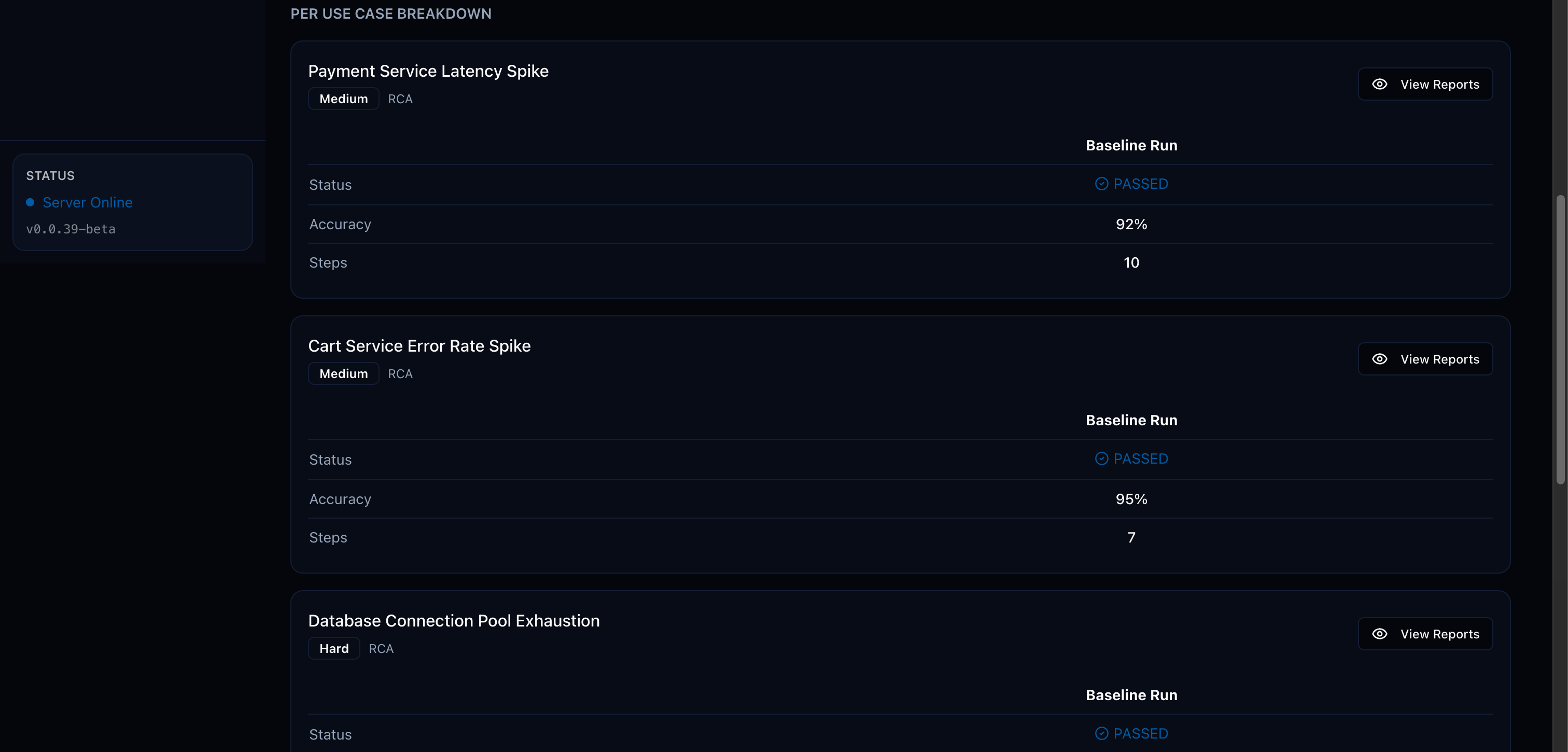
- Pass/fail status and accuracy for each test case
- Full trajectories and judge reasoning
- Aggregate statistics (pass rate, average accuracy)
Running experiments from the UI
Section titled “Running experiments from the UI”- Click Experiments in the sidebar
- Click New Experiment
- Select the test cases to include
- Choose an agent and model
- Click Run
To compare agents, run the same experiment multiple times with different agent/model configurations.
Running experiments from the CLI
Section titled “Running experiments from the CLI”# Quick mode — auto-creates a benchmark from all stored test casesnpx @opensearch-project/agent-health benchmark
# Named mode — runs a specific existing benchmarknpx @opensearch-project/agent-health benchmark -n "Baseline" -a my-agent
# File mode — imports test cases from JSON and runs themnpx @opensearch-project/agent-health benchmark -f ./test-cases.json -a my-agent
# With export — save results to filenpx @opensearch-project/agent-health benchmark -f ./test-cases.json -n "My Run" -a my-agent --export results.jsonComparing agents across runs
Section titled “Comparing agents across runs”Create experiments with multiple runs using different agents or models. The UI provides side-by-side comparison of:
- Per-test-case pass/fail status
- Accuracy scores across runs
- Trajectory differences between agents
Generating reports
Section titled “Generating reports”Generate downloadable reports from experiment results:
# HTML report (default)npx @opensearch-project/agent-health report -b "My Benchmark"
# PDF reportnpx @opensearch-project/agent-health report -b "My Benchmark" -f pdf -o report.pdf
# JSON reportnpx @opensearch-project/agent-health report -b "My Benchmark" -f json --stdout
Reports include judge reasoning, accuracy scores, and improvement suggestions for each test case.